PAULA 5.1 by Wavefront Insurgency
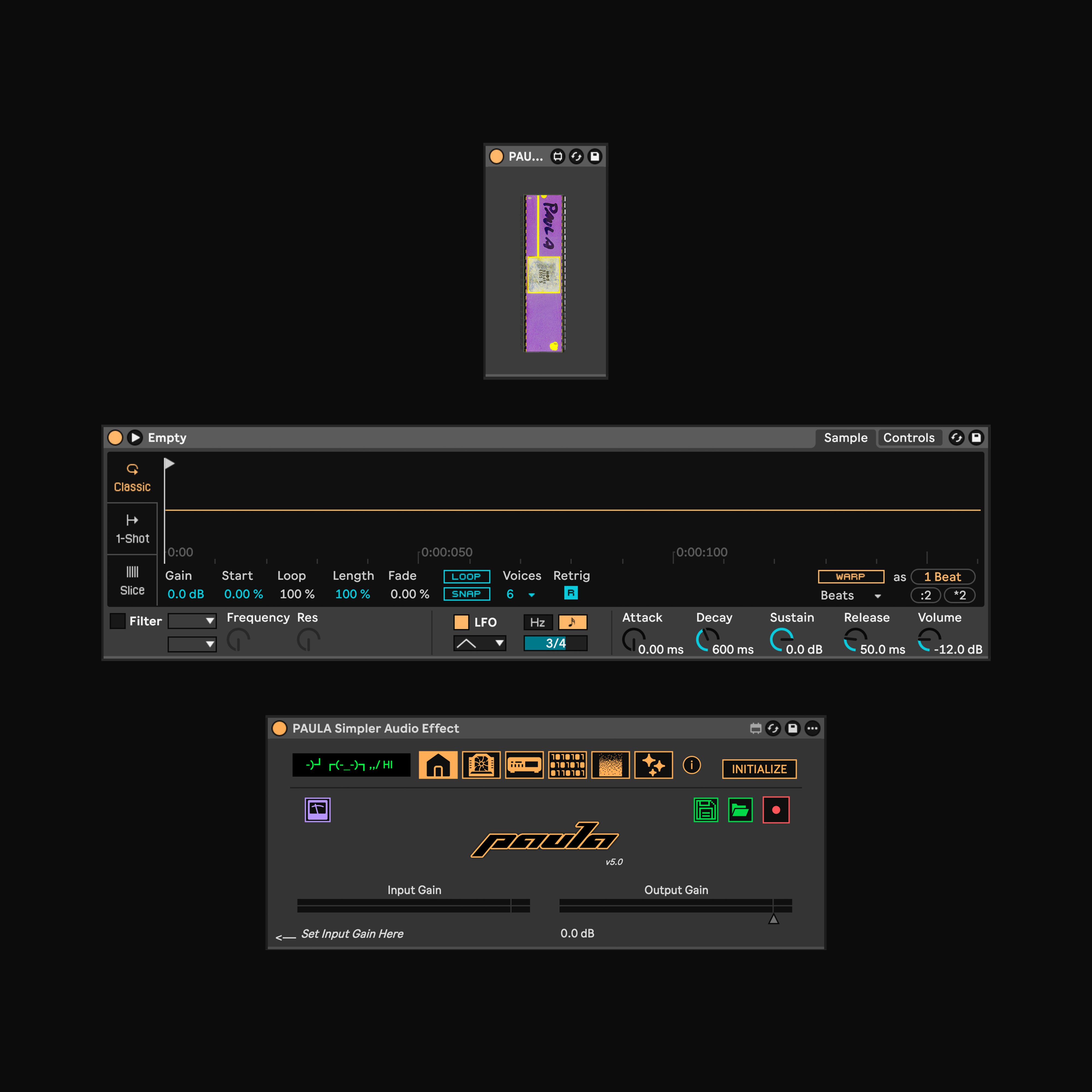
PAULA brings the workflow and character of a hardware sampler into Ableton Live.
PAULA adds variation and tonal character to samples, taking inspiration from classic 90s instruments such as the Akai S-series, E-mu samplers and Amiga-based systems.
Ideal for producers who work with resampling, breakbeats, sound design, and any workflow that benefits from classic sampling behaviour inside Live.
Version 5 introduces 17 new audio effects, an improved ADC/DAC audio signal chain, a built-in tuner, automatic creation and arming of a resampling audio track, one-click sample export to disk, noise injection, bitcrumbler and a wide range of workflow enhancements throughout the device. See the changelog below for full details on what’s new in PAULA 5.
The PAULA 5 update also features a redesigned UI. New features include pre and post quantization noise injection, continuous bit-reduction via rounding and truncation, with bit-wise operations! Classic quantization now offers optional dithering modes (RPDF, TPDF, and Gaussian). A home page and a dedicated ‘Anti-Aliasing’ tab has been added, featuring a sonographic visualization of high-frequency content (very useful).
PAULA uses Max for Live, JavaScript and the Live API, and comes as three separate devices (.adg): PAULA Simpler, PAULA Sampler and PAULA Drum Sampler.
Manual available here: wavefrontinsurgency.com/paula-manual/
Compatibility: Ableton Live 12.3, Max 9.1.1 and above.
PAULA 5.1:
Bug fix: FX automation visibility improved. The FX icon tab now can now be switched to enabling/disabling individual FX units or displaying their parameter pages.
Bug fix: CPU usage reduced by approximately 25–30%.
Bug fix: Corrected UI issues that caused some elements to overlap.
PAULA 5.0:
► New Features / Parameters / UI improvements:
- New: Home tab. Built-in tuner, automatically create and arm resampling audio track button, one-click sample export to disk and show sample folder, input and output gain.
- New: Input tab. Input channel mode redesigned. New pre/post bitcrusher noise injection featuring ‘Tape’, ‘Humm’ and ‘Morphable’ noise floors. The noise floors are gated to the input signal. New ‘BitCrumbler’ bit-reduction via rounding and truncation, with bit-wise operations. Classic quantization now also offers optional dithering types (RPDF, TPDF, and Gaussian). Improved signal chain.
- New: Anti-aliasing tab. Sonograph visualises the downsampling and anti-aliasing filter behaviour in the high frequencies.
- New: FX tab. 17 new audio effects that are implementations of various stock effects built into Ableton. Each FX has dry/wet mix and a pre-fader trim control. When FX are switched off, they don’t use CPU!
- New: ABL rate mode: Replaces ‘Manual mode’. Easier to understand. The changes reflect improvements made in PAULA’s sister, DIGITIZE. Both ABL and PT2 modes work independently of each other see the manual for more information.
- New: Complete UI redesign. Tab bar moved to top of device. Device UI no longer dynamically resizes, shifting around. Beautiful icons added. PAULA has a new logo.
- New: ‘Complex’ and ‘Complex Pro’ warping modes added.
► Bug Fixes / Stability:
- Change: Proper parameter naming and associated modulation modes implemented. PAULA Simpler now has 240 parameters!
- Change: Warp mode entirely redesigned and simplified reducing CPU load.
- Change: Rate hold functionality improved. Added visual rate hold button next to rate displayed.
- Bug fix: CPU optimisations – parameter speed limits.
- Bug fix: Correct latency reporting. PAULA works between 0 ms and 1.4 ms latency.
- Bug fix: All parameters that accept floating point values are now correctly formatted.
► Removals & Moved Parameters:
- Change: Saturation moved to FX section.
- Change: PT2 mode jitter and dry/wet control is now disabled. Use ABL mode if you want these controls.
- Removed: DC offset removed.
PAULA 4.3 Change Log:
- New: Rewritten DC offset and bit crusher audio signal flow, simplifying and reducing CPU usage.
- New: Channel swap button.
- Bug Fix: Less pops and click enabling/disabling certain DAC/ACD settings.
- Bug Fix: Previously opened tab ‘Resampling’, ‘ADC/DAC’, etc will recall last opened view on project reload.
- Change: Switched back to Hi-Q resampling mode as default.
- Change: DC shift moved to the DC offset section. DC Shift offsets now manually calculated. One less DC blocking filter is used in this config.
- Change: Compander renamed to ’shape’ in bit crusher - Extra parameter made redundant
- Change: Saturator drive range changed to unipolar.
- Change DC offset range changed to unipolar.
PAULA 4.2 Change Log:
- Bug fix: Octave shift (-1, 0 1) paramters wasn’t initialising properly. Fixed so that the parameter is recalled correctly when the live set is opened.
PAULA 4.1 Change Log:
- Removed: Main channel EQ as it was causing a low end roll off unintentionally!
- New: Save sample to disk. Saves an unaltered copy of the sample loaded in the simpler to your music folder: ”/Music/PAULA SAMPLEs” [PAULA SIMPLER only]
- Change: Default resampling quality set to ‘Eco’, sounds better.
- Bug fix: In some cases MIDI would stop transmitting if the PAULA Audio Effect was switched off.
- Bug fix: Sometimes mapping to transpose/fine tune/spread would unmap. Implemented fix.
PAULA 4.0 Change Log:
► New Features / Parameters / UI improvements:
- New ‘MANUAL’ and ‘PT2’ rate modes overhauling PAULA resampling functionality (see manual for more info).
- Redesigned ‘PAULA Simpler Audio Effect’ UI featuring tabbed views, reducing onscreen clutter.
- Redesigned and improved ADC/DAC signal flow, 17 new parameters. Most stages now have an independent dry/wet control and overall, more versatility.
- 3 new FX including an updated flanger and phasor, 24 new parameters.
- Expanded automatable warp / timestretching, 6 new parameters.
- New input and output gain control.
- Now reports latency to Live. (0 ms min, 2.3 ms max)
- ‘PAULA MIDI Send’ redesigned.
- New detailed manual.
► Bug Fixes / Stability:
- Fixed Live API querying. PAULA Simpler now supports multiple instances on the same instrument rack!
- Improved performance (~80 % performance increase, reducing CPU load), simplifying overall patch in preparation for future updates.
- Improved stability. Fixed bug that was causing GUI lag when opened in device editor. - Communication between Max devices simplified. Also fixed MIDI passthrough (pitch bend, poly, etc now sent to the simpler device).
► Removals & Moved Parameters:
- Moved: Flanger x2 feedback. (Replaced with feedback numbox).
- Moved: Phasor mono unlink. (Replaced with phasor wide mode)
- Removed: Reverse buttons (prevents a bug that causes the sample to reverse on launch). To reverse your sample, right click the waveform in simpler and select ‘reverse’. - Removed EQ mid frequency control, now locked at 1.7 kHz.
- Removed C3 Rate Hold Mode - Made redundant with implementation of new rate mode, ‘manual’.
- Removed automatic naming system as it was crating conflicts and performance issues.
PAULA 3.3 Change Log:
- New Standalone Device: PAULA Audio Effect [STANDALONE]: Standalone device is free of all simpler integration and is designed for use on an audio track.
- Bug Fix: Input gain would unexpectedly un-map reopening a project. New method of controlling input gain implemented using macro control via the Live API.
- New parameter: U button: When enabled, the ‘Phasor’ and the ‘MONO’ effect are unlinked.
PAULA 3.2 Change Log:
- Renamed .amxd devices and instrument rack so that all future updates are forwards compatible!
- Added ‘Nyquist Limit Post-Filter Adjust’ parameter.
- Added: Automatic MIDI track naming.
- Bug Fix: Default value ‘input gain’ now correctly loads at -12 dB.
- Bug Fix: Default ‘mid-range frequency’ now loads at 1.7 kHz.
- Updated Ableton ‘Info View’ description of each parameter, including hints on hover.
- Updated manual.
- UI improvements.
PAULA 3.1 Change Log:
- Bug Fix: Missing transient warp icons now embedded correctly.
- Improvement: Simpler ‘Volume’ is now remotely controlled by the the ‘Input Gain’. Also changed volume range -18 dB to +6 dB.
- Updated Manual (Small changes only).
- Improved UI colour scheme.
- ‘PAULA MIDI Send.amxd’ is now hidden in the rack by default.
- Changed EQ default mid-range frequence to 1.7 kHz.
PAULA 3.0 change log:
- Ableton’s Simpler device has been fully integrated with PAULA, utilising the Ableton Live API – Controls include: Transposition, Fine Tune, Warping, Warp Mode, Warp Grain Size / Envelopes, X2, /2, Reverse and Voicing. As simpler is used, sample location is now managed by Ableton.
- Realtime time stretching: Ableton warp modes, grain size, x2 and /2 and reverse functionality. All support parameter automation.
- Fine tuning that follows ProTracker 2 behaviour and including slight sample rate variations.
- Quality mode: Eco and Hi-Q resampling algorithms available.
- LED filter moved to the end of the signal flow.
- Added optional antialiasing filter set at half the sample rate ‘POST FILTER’.
- Added Ableton channel EQ abl. object for ease of use.
- Added Flanger effect built in with rate modulation, x2 feedback and stereo mode. - ‘C3 Hold’ enables monophonic playback, vice versa.
- Increased ‘RESAMPLE 2NOTE’ range to include A#3 and B-3 notes.
- Redesigned and improved MIDI flow.
- Improved UI including visual feedback.
- Updated manual.
PAULA 2.1 Change Log:
- Bug fix: Enabled polyphonic voice stealing.
- Removed .alp installer for simplicity.
- Switched ‘RESAMPLE2NOTE’ parameter visibility to store only (disabled automation tracking).
PAULA 2.0 Change Log:
- No longer dependent on TAL-DAC and works entirely standalone using new Max abl. objects in Max 9.
- New features: C3 Hold, Sample Rate Hold, Trim, DC offset, Phasor Effect, High and Low Shelf EQ, Mono Button and the Current Sample Rate is now displayed.
- Bug fixes: Limited note range to C1-B3 in respect to the sample rate ranges pt2 tables (4144 – 31338 Hz). MIDI triggering now works as expected. No more random noises.
- .alp packing including lesson/example project.
- Created PDF manual.
- Added fade on load to remove audible pop/click.
- Check Max version displays pop-up/screen warning if below v9.0.0. - Improved UI.
- Implemented dynamic theming (light/dark mode)
- Switched to Bandcamp for distribution.
Tracklist
| 1. | A. RAISE BREAK | 0:28 |
| 2. | B. BREAK 28 | 0:29 |
| 3. | C. MANY WORLDs LEAD | 0:32 |
| 4. | D. SOTM 1 SOON | 0:17 |
| 5. | E. LUSH PAD | 1:13 |
| 6. | F. FOOLs GOLD | 0:19 |
| 7. | G. IMAGINATION TIME VOX | 0:34 |
| 8. | H. AMEN BROTHER | 0:17 |
| 9. | I. CAN'T HELP MYSELF | 0:17 |
| 10. | J. BREAKY STEPPA | 0:34 |
| 11. | K. 5-AUDIO 0006 | 0:23 |
| 12. | L. MULTI-REVERB STABs | 0:31 |
| 13. | M. JUPITER RAVE | 0:32 |
| 14. | N. SAMPLERz PAD | 0:22 |
| 15. | O. YAMAHA MO BASS HITs | 0:22 |
| 16. | P. PAULA BASS STABs | 0:36 |
| 17. | Q. PUSH PULL CHORD STAB | 0:17 |
| 18. | R. S3 FALL2 | 0:14 |
| 19. | S. CRAB LEGs | 0:10 |
| 20. | T. LOUD OCEAN SOUND | 0:47 |
Credits
License
All rights reserved.Tags
Recommendations
 New York City Sound Effects & Soundscape Vol 01
by freetousesounds
 Toilet Flush Flush Sound Effects Library
by freetousesounds
 Zipper Sounds & Fabric Noise Sound Effects
by freetousesounds
 Denim
Denimby Rooms Inc
 Echoes of Infinity EP
by Azo
 Life
Lifeby DJ Plant Texture
 Singapore Sound Libraries | Heavy Rain Sound Effects
by freetousesounds
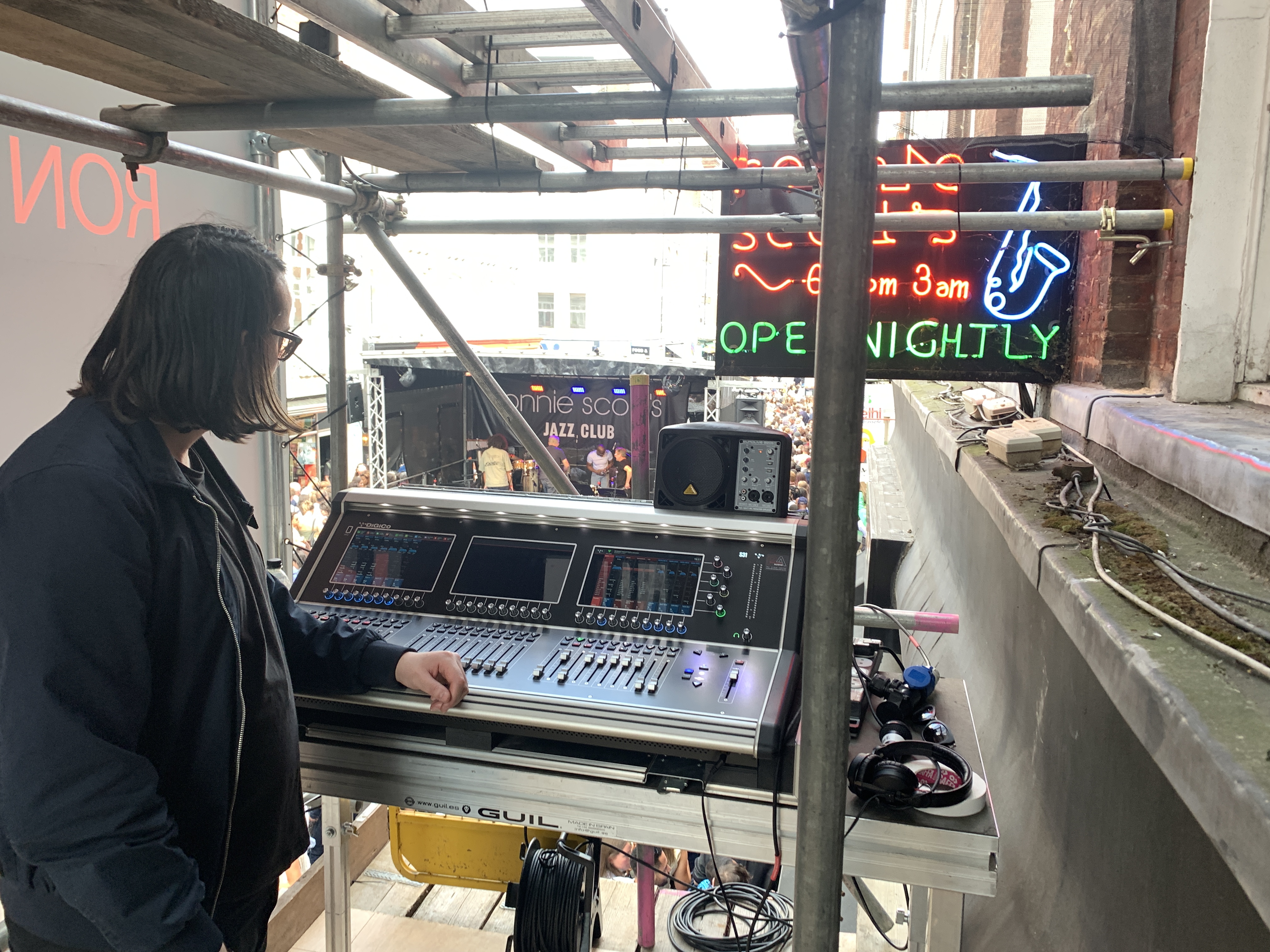
Wavefront Insurgency embodies the energy of early rave culture, crafting a sonic experience that pays homage to its influential roots infusing their tracks with hypnotic rhythms and nostalgic soundscapes.